登录
已链接应用程序
正在加载...
空间
按回车键(Enter)搜索
帮助
在线帮助
快捷键
RSS源建立器
新功能
可用的小工具
关于Confluence
登录
巨鲲AI+售后
页面树结构
浏览页面
设置
空间管理
查看页面
页面历史记录
页面信息
以层级方式查看
查看页面源代码
导出为PDF
页面
…
巨鲲AI+售后
售后维修管理
1.设备如何报修
页面历史记录
版本比较
旧版本
4
changes.mady.by.user
叶利钦
保存于
4月 25, 2025
比较
新版本
5
changes.mady.by.user
叶利钦
保存于
4月 25, 2025
前一变化: 3 和 4版本的不同
下一变化: 5 和 6版本的不同
查看页面历史记录
标识
该行被添加。
该行被删除。
格式已经改变。
...
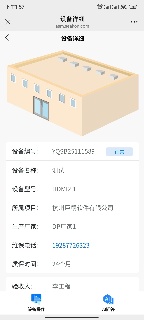
扫描设备二维码
登陆账号(已登录忽略)
点击设备操作选择报修
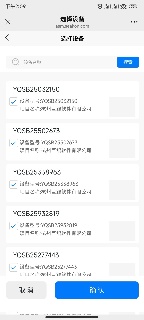
点击报修设备选择需要报修的设备
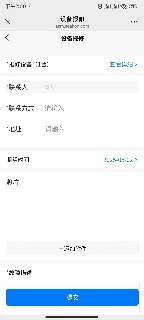
输入必填信息(有*号标识)
点击提交
Image Added
信息
相关的文章
标签内容
showLabels
false
max
5
spaces
AIAS
showSpace
false
sort
modified
reverse
true
type
page
cql
label in ("老师","报修") and type = "page" and space = "AIAS"
labels
老师 报修
...
概览
内容工具
{"serverDuration": 100, "requestCorrelationId": "e6f63164dbede140"}