一、工程师签收设备
1、进入浏览器,输入https://asm.seakon.com/h5/#/链接进入系统
2、使用工程师账号登录系统
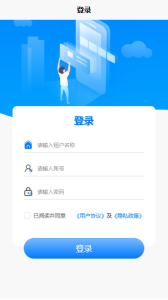
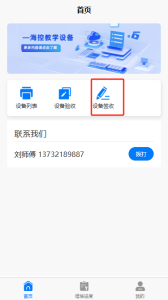
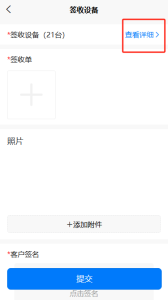
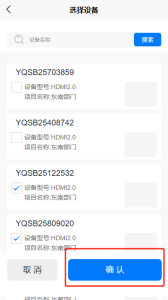
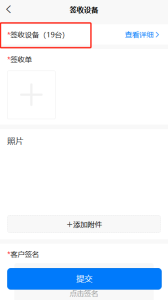
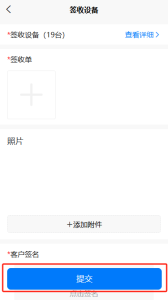
3、设备签收=> 点击查看详细选择需要签收的设备(默认全部选中)=>选中后点击确认按钮即可 => 完成必填信息 =>点击提交按钮即可完成设备签收
...
| 信息 |
|---|
相关的文章
| 标签内容 | ||||||||||||||||||
|---|---|---|---|---|---|---|---|---|---|---|---|---|---|---|---|---|---|---|
|
| 页面属性 | ||
|---|---|---|
| ||
|
1、进入浏览器,输入https://asm.seakon.com/h5/#/链接进入系统
2、使用工程师账号登录系统
3、设备签收=> 点击查看详细选择需要签收的设备(默认全部选中)=>选中后点击确认按钮即可 => 完成必填信息 =>点击提交按钮即可完成设备签收
...
| 信息 |
|---|
| 标签内容 | ||||||||||||||||||
|---|---|---|---|---|---|---|---|---|---|---|---|---|---|---|---|---|---|---|
|
| 页面属性 | ||
|---|---|---|
| ||
|